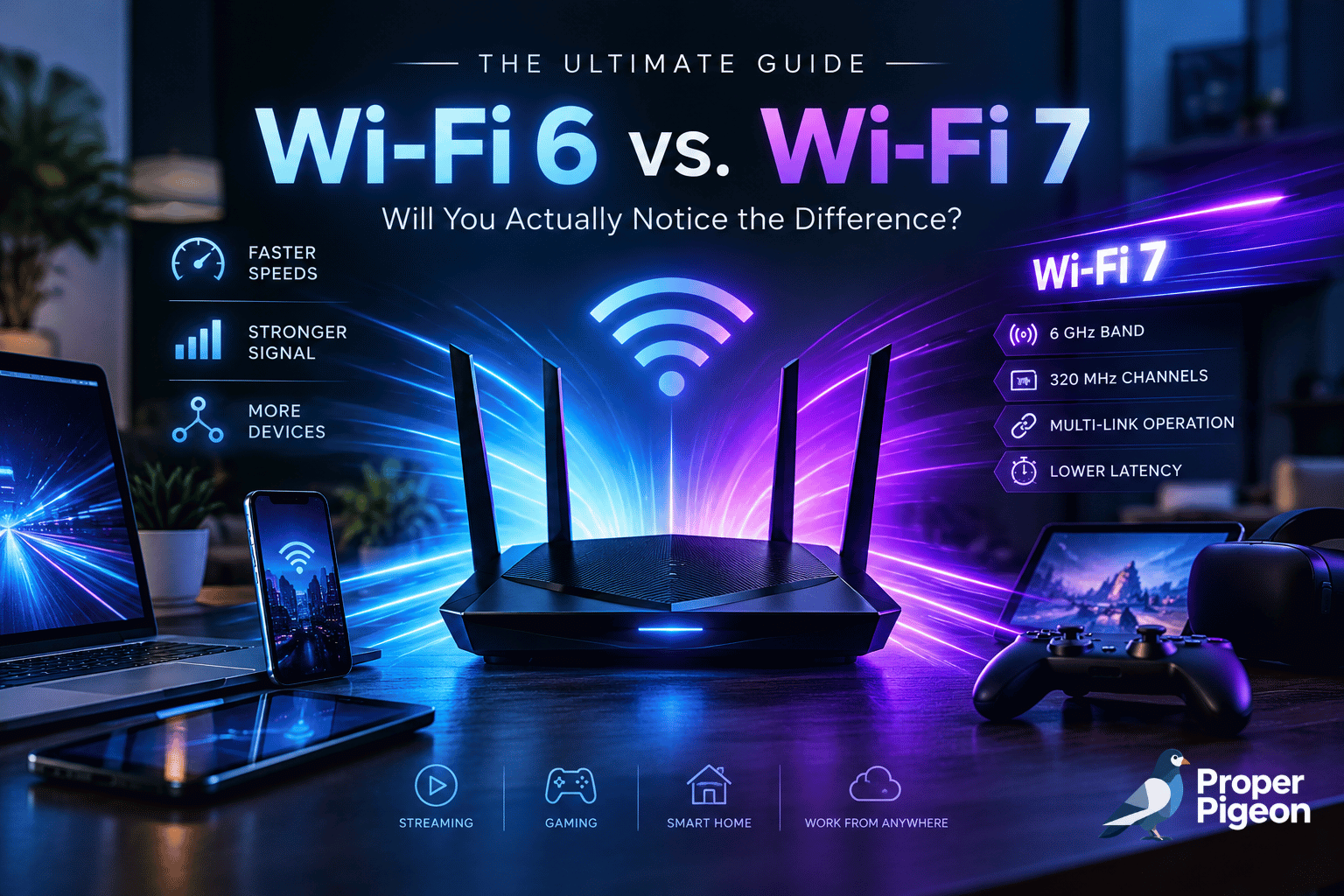
WiFi 7 promises faster wireless speeds, more bandwidth, and new ways to keep compatible devices connected. But that does not automatically mean you need a new router. For many homes, WiFi 6 is still fast enough; for others, WiFi 7 could be a worthwhile upgrade.
This guide explains WiFi 6, WiFi 6E, and WiFi 7 in plain English, explores what changes in everyday use, and highlights router options for different budgets and home layouts.
WiFi 6 vs WiFi 7: The Quick Answer
WiFi 7 is the more capable standard, but WiFi 6 can still be the better value. WiFi 7 supports wider channels and features such as Multi-Link Operation (MLO), which can improve throughput and connection consistency when both the router and client device support the relevant features. These improvements matter most on fast internet plans, busy networks, and demanding setups with compatible devices.
If your WiFi 6 router delivers reliable coverage and the speeds you pay for, you may not notice enough difference to justify replacing it. If you are buying a new router, have a multi-gigabit internet plan, transfer large files over your local network, or own WiFi 7 devices, upgrading may make more sense.
- Choose WiFi 6 for dependable everyday WiFi at a lower cost.
- Consider WiFi 6E if you want access to 6 GHz without moving to WiFi 7.
- Choose WiFi 7 if you want newer wireless features and have compatible devices.
- Consider mesh if your main issue is dead zones across a large home.
WiFi 6 vs WiFi 7: Key Differences at a Glance
| Feature | WiFi 6 | WiFi 6E | WiFi 7 |
|---|---|---|---|
| Technical standard | 802.11ax | 802.11ax | 802.11be |
| Frequency bands | 2.4 and 5 GHz | 2.4, 5, and 6 GHz | 2.4, 5, and 6 GHz, where supported |
| Maximum channel width | Up to 160 MHz | Up to 160 MHz | Up to 320 MHz on 6 GHz |
| Modulation | Up to 1024-QAM | Up to 1024-QAM | Up to 4096-QAM |
| Multi-Link Operation | No | No | Supported on compatible equipment |
| Best fit | Everyday use and value | Compatible devices needing 6 GHz | High-throughput setups and newer devices |
Important: these are standard capabilities, not guaranteed real-world speeds. Router design, client support, channel availability, interference, walls, distance, internet service, and regional rules all affect performance. Not every WiFi 7 product supports every optional feature in the same way.
What Is WiFi 6?
WiFi 6, also known as 802.11ax, improves efficiency as more phones, laptops, televisions, consoles, and smart-home devices share a network. Technologies such as OFDMA and MU-MIMO help a router serve multiple devices more efficiently, especially in a busy home.
WiFi 6 commonly operates on 2.4 GHz and 5 GHz. The 2.4 GHz band can reach farther and pass through some obstacles more effectively, but is often more congested. The 5 GHz band can offer higher speeds and more channel options, though its signal usually weakens more quickly through walls.
When WiFi 6 is enough
- Your internet plan is moderate and your current router covers the rooms you use.
- You mainly browse, stream, make video calls, and play online games.
- Most devices support WiFi 5 or WiFi 6 rather than WiFi 7.
- You would rather fix coverage or upgrade an older device than replace a working router.
A modern WiFi 6 router can still be a sensible choice. The generation label alone does not tell you whether a router has better coverage, software, Ethernet ports, or reliability than another model.
What Is WiFi 7?
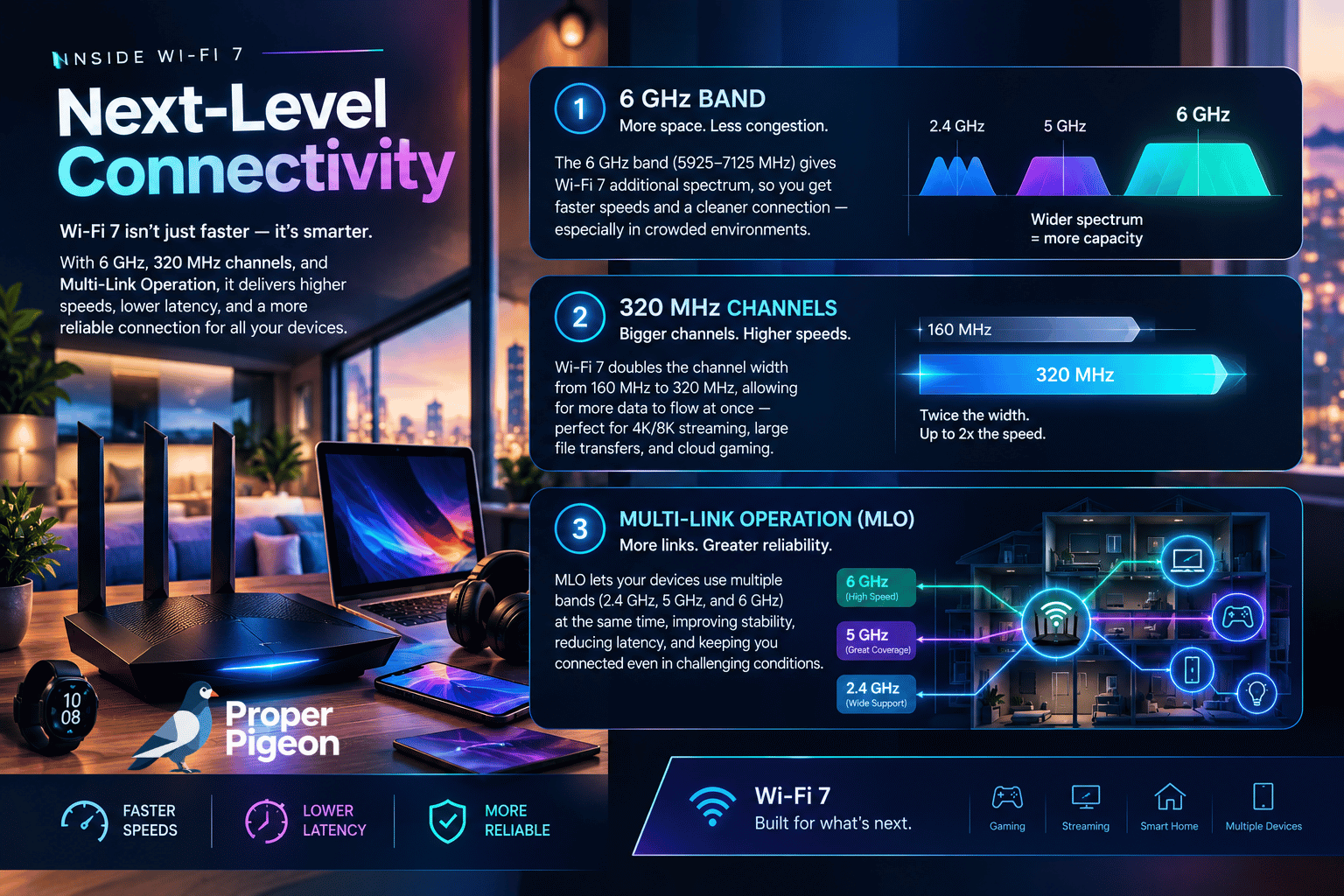
WiFi 7 (802.11be) builds on WiFi 6 and WiFi 6E. Its headline features include channel widths up to 320 MHz on the 6 GHz band, 4096-QAM (also called 4K-QAM), and Multi-Link Operation. These features can increase potential throughput and improve how compatible devices use wireless capacity.
What the main WiFi 7 features mean
- 320 MHz channels: wider channels can carry more data in suitable conditions. They require available spectrum and compatible equipment, and are not available in every region.
- 4K-QAM: a higher modulation scheme can pack more data into a signal when signal quality is strong enough. Benefits can shrink as conditions worsen.
- Multi-Link Operation (MLO): compatible devices can use multiple links across supported bands to improve throughput, reliability, or latency in supported configurations.
- Improved channel use: other WiFi 7 capabilities can help make more efficient use of available spectrum in crowded environments.
These advances are not magic fixes. A WiFi 7 router cannot make an older phone support MLO, increase internet speed beyond your plan, or eliminate latency caused by a distant game server or a congested ISP connection.
WiFi 6E vs. WiFi 7: What’s the Difference?
WiFi 6E is an extension of WiFi 6 that adds access to the 6 GHz band. It does not introduce a new generation of WiFi features in the way WiFi 7 does. The extra band can provide more room for compatible devices and may be less congested than 2.4 GHz or 5 GHz, depending on your location and surroundings.
The trade-off is that 6 GHz generally has less range and penetrates walls less effectively than lower-frequency bands. A device needs 6 GHz support to use it, and access to the band depends on local regulations. A router with 6 GHz support does not automatically move every device onto that band.
WiFi 7 also supports 6 GHz where permitted, but adds features such as 320 MHz channels and MLO. WiFi 6E may suit people who want 6 GHz at a lower price, while WiFi 7 is the newer platform for compatible devices and workloads.
WiFi 5 vs. WiFi 6 vs WiFi 7
If you are upgrading from WiFi 5 (802.11ac), the improvement may be more noticeable than upgrading from a well-performing WiFi 6 setup. WiFi 6 improves efficiency in networks with many devices, while WiFi 7 adds more advanced throughput and multi-link capabilities.
Still, your current network’s condition matters as much as the generation printed on the box. A well-placed WiFi 5 router may outperform a poorly placed newer router in a far room. If coverage is weak, consider placement, interference, Ethernet backhaul, or a mesh system.
Speed, Latency, and Gaming: What Changes in Real Life?
Speed
WiFi 7 can deliver higher peak wireless throughput under the right conditions, especially with compatible clients, wide channels, and a fast internet or local network connection. Advertised combined WiFi rates are theoretical totals across bands and streams—not the speed a single phone or laptop should expect. Your internet plan, router ports, client hardware, and network conditions can all be bottlenecks.
Latency and online gaming
WiFi 7’s MLO and efficiency features can help compatible devices maintain a responsive connection in some conditions. That does not guarantee lower ping in every game. Ping is also affected by the route to the game server, server load, ISP congestion, signal strength, and other traffic on the network.
For competitive gaming, Ethernet remains a strong option when practical because it removes the wireless link as a source of interference and variability. If you use WiFi, place the router well and avoid thick walls or enclosed cabinets.
Range and coverage
A newer WiFi generation does not automatically solve dead zones. The 6 GHz band can be fast nearby but may struggle more through walls than 2.4 GHz. In a large or multi-story home, a properly placed mesh system or wired access point may improve the experience more than replacing one standalone router with another.
What Real-World Tests and Users Say About WiFi 6 vs WiFi 7
Specifications explain what a WiFi standard can do; independent testing and owner reports help show when those capabilities translate into a noticeable improvement. The evidence points to a practical conclusion: WiFi 7 can deliver substantially higher throughput in the right setup, but the benefit varies by router, client device, band, distance, and home layout. It is not a guaranteed upgrade to every user’s everyday experience.
What professional testing shows
In its comparison of tested routers, RTINGS’ WiFi 6 vs WiFi 7 analysis found that the fastest tested routers were WiFi 7 models, but performance varied substantially by product. Some WiFi 6 and WiFi 6E routers outperformed certain WiFi 7 models in individual range and speed tests. RTINGS also notes that WiFi 7’s features and performance depend on what the router actually supports; the WiFi 7 label alone does not guarantee 6 GHz or 320 MHz channels on every model.
Residential trials published by the Wireless Broadband Alliance with Türk Telekom, HPE Aruba Networking, and Intel reported peak throughput above 4.2 Gbps in their test scenarios, alongside improvements in latency and performance under load compared with WiFi 6E and WiFi 5. These are useful demonstrations of what WiFi 7 can achieve in a controlled deployment—not a promise that a typical household will see those speeds. The results depend on test equipment, compatible clients, spectrum, layout, and network configuration.
What owners report in networking communities
Owner discussions are anecdotal rather than controlled tests, but they reveal the trade-offs people encounter after upgrading:
- Some users report a clear improvement after upgrading both the router and client adapter, including better throughput and more consistent latency. In one WiFi 5-to-WiFi 7 discussion on Reddit, a commenter described improved latency and reliability after replacing an older WiFi adapter as well as moving to a WiFi 7 router. Because both components changed, that experience cannot isolate how much improvement came from WiFi 7 alone.
- Other users see little reason to upgrade a healthy network. In a Ubiquiti community discussion, users argued that a stable WiFi 5 network delivering enough speed for streaming and everyday use may not justify a costly replacement—especially when upgrading multiple access points and switches.
- Coverage problems are not automatically solved by a newer standard. Discussions in HomeNetworking highlight that 6 GHz can be useful in the right layout, but shorter reach and wall attenuation can limit its usefulness in larger or older homes. Individual home reports vary, so treat them as experiences to compare with your own layout, not universal results.
How to apply this evidence to your own home
| Your situation | What the evidence suggests | Practical next step |
|---|---|---|
| WiFi 6 is stable and already meets your needs | The upgrade may deliver little noticeable value for everyday browsing, video calls, and streaming. | Keep your router until you need more capacity, features, or coverage. |
| You have WiFi 7 devices and a fast multi-gigabit connection | Higher throughput may be noticeable when the router, client, ports, and signal all support it. | Check the exact WiFi 7 feature set and multi-gigabit ports before buying. |
| Your home has dead zones or thick walls | Router generation alone may not solve the underlying coverage issue. | Compare mesh, wired access points, Ethernet backhaul, and router placement. |
| Your main concern is gaming ping | WiFi 7 features can help in some local wireless conditions, but ping also depends on ISP routing and the game server. | Test Ethernet if possible and compare latency under the same conditions before spending. |
| You are upgrading from WiFi 5 | The improvement may be more worthwhile than moving from a well-performing WiFi 6E setup, but device and layout differences matter. | Identify the current bottleneck and ensure your main clients support the features you want. |
How to read this section: professional lab and field tests show what is possible under defined conditions; forum posts show individual experiences, not representative survey results. Some field trials are conducted with industry partners, so their findings should be read alongside independent product testing and your own requirements. ProperPigeon has not independently lab-tested the routers listed in this article; the recommendations here are based on published specifications, external testing, and the limitations described above.
Compatibility: Do You Need New Devices?
No. WiFi 7 routers are designed to work with older WiFi generations, so existing devices can generally continue connecting. However, older devices will not gain WiFi 7-specific features just because the router supports them. To benefit from WiFi 7, the client must also support WiFi 7 and the relevant features.
The same principle applies to WiFi 6E: a 6E-capable router can serve older clients, but only compatible devices can connect over 6 GHz. Check your laptop, phone, console, and wireless adapter specifications before paying extra for a feature they cannot use.
Also check the router’s WAN and LAN ports. A multi-gigabit router is most useful when your internet plan, modem or ONT, Ethernet cabling, and connected devices can take advantage of those faster ports.
Router Options Worth Considering
These four TP-Link options represent different upgrade paths. They are not direct head-to-head competitors: three are standalone routers, while the Deco BE63 listing is a three-unit mesh system designed for broader whole-home coverage. Product details, prices, and availability can change, so confirm the exact listing before ordering.
1. TP-Link Archer AX55 — Budget-Oriented WiFi 6
Reference price: $74.99 · price may change
The Archer AX55 is a dual-band AX3000 WiFi 6 router for people who want a modern everyday network without paying for WiFi 7. It supports 2.4 GHz and 5 GHz, plus features such as OFDMA and MU-MIMO. It is a reasonable starting point for browsing, streaming, video calls, and many gaming setups, provided its coverage and port speeds suit your home.
Consider it if: you want an affordable WiFi 6 router and do not need WiFi 7-specific features.
2. TP-Link Archer AXE75 — WiFi 6E and 6 GHz
Reference price: $119.99 · price may change
The Archer AXE75 is a tri-band AXE5400 WiFi 6E router. It adds 6 GHz alongside 2.4 GHz and 5 GHz, which can be useful if your devices support 6 GHz and your wireless environment is congested. It supports channel widths up to 160 MHz, but does not have WiFi 7 features such as MLO.
Consider it if: you want 6 GHz access and a middle ground between WiFi 6 and WiFi 7.
3. TP-Link Archer BE550 — Standalone WiFi 7 Router
Reference price: $249.99 · price may change
The Archer BE550 is a tri-band BE9300 WiFi 7 router with 2.4 GHz, 5 GHz, and 6 GHz support. The listed model includes five 2.5 Gbps Ethernet ports (one WAN and four LAN) and a USB 3.0 port. WiFi 7 features such as MLO, 4K-QAM, and channel widths up to 320 MHz can help compatible clients under suitable radio conditions.
Consider it if: you want a newer standalone router, have compatible WiFi 7 devices, or need multi-gigabit wired connections. It cannot guarantee lower gaming ping or faster internet if another part of your connection is the bottleneck.
4. TP-Link Deco BE63 — Three-Unit WiFi 7 Mesh System
Reference price: $396.50 · price may change
The selected Deco BE63 listing is a three-unit BE10000 WiFi 7 mesh system. Unlike a single standalone router, a mesh kit is designed to spread coverage across a larger home. TP-Link lists tri-band WiFi 7, MLO, 320 MHz channels where permitted, and four 2.5 Gbps Ethernet ports per unit. Wired backhaul can connect mesh units when Ethernet cabling is available.
The listing advertises coverage of up to 7,600 square feet and support for more than 200 devices. Treat these as manufacturer estimates, not guaranteed real-world results: layout, building materials, placement, interference, and backhaul can change coverage and performance.
Consider it if: your main problem is coverage across multiple rooms or floors and you want mesh rather than one router. Its three-unit price should not be compared directly with a single router.
Frequently Asked Questions
Is WiFi 7 much faster than WiFi 6?
WiFi 7 supports higher potential throughput through features such as 320 MHz channels and 4K-QAM, but actual speed depends on compatible devices, signal conditions, available spectrum, router hardware, and your internet or local network connection.
Is WiFi 7 worth it for gaming?
It can be worthwhile if you have compatible WiFi 7 devices, a busy network, or high-throughput needs. However, it does not guarantee lower ping. Ethernet is worth considering for competitive gaming, and router placement and internet routing remain important.
Does WiFi 7 have better range than WiFi 6?
Not automatically. Range depends on frequency band, radio design, antenna configuration, power limits, interference, and the building. The 6 GHz band can provide high speeds nearby but usually has more difficulty passing through walls than lower frequencies.
Can a WiFi 7 router connect to WiFi 6 devices?
Yes. WiFi 7 routers are backward-compatible with older WiFi generations. Older devices can connect, but they will not use WiFi 7-only capabilities unless they support them.
Should I buy WiFi 6E or go straight to WiFi 7?
WiFi 6E may be good value if you specifically want 6 GHz access and the price is right. WiFi 7 makes more sense if you expect to use compatible WiFi 7 devices and want its newer features. Compare current prices and full specifications rather than relying on the generation label alone.
Will a WiFi 7 router make my internet faster?
Only if WiFi performance is currently a bottleneck and the rest of your setup can take advantage of the upgrade. A faster router cannot increase the speed supplied by your ISP plan or fix congestion beyond your home network.
Final Verdict: Is WiFi 7 Worth It?
Choose the router that solves your actual problem—not just the one with the biggest number.
WiFi 7 is worth considering, but it is not an automatic upgrade for every home. If WiFi 6 already provides stable coverage and enough speed, keeping your router may be the best value. If you are buying new equipment, have compatible WiFi 7 devices, use a multi-gigabit connection, or want the newer wireless features, a WiFi 7 router could be a sensible long-term choice.
If you want 6 GHz but prefer to spend less, compare WiFi 6E options such as the Archer AXE75. If you need reliable everyday connectivity on a budget, the Archer AX55 is a practical baseline. For a standalone WiFi 7 upgrade, consider the Archer BE550. For large homes with coverage problems, the three-unit Deco BE63 mesh system addresses a different need.
The best choice is not simply the router with the highest number on its box. Match the router to your devices, internet plan, home layout, and actual network problem.
Sources and Further Reading
- RTINGS: WiFi 6 vs WiFi 7 — comparative router testing
- Wireless Broadband Alliance: WiFi 7 residential trial report
- Reddit /r/wifi: WiFi 5 to WiFi 7 owner discussion
- Reddit /r/Ubiquiti: discussion about whether an upgrade is necessary
- Cisco: What Is WiFi 6 vs. WiFi 6E vs. WiFi 7?
- Cisco: What Is WiFi 7?
- TP-Link: Archer AXE75 specifications
- TP-Link: Archer BE550 specifications
- TP-Link: Deco BE63 specifications
Related Guides from ProperPigeon
If you are comparing WiFi upgrades because of gaming lag or inconsistent online performance, these ProperPigeon guides explore related network issues and tools:
- GearUP Booster Review: Can It Really Reduce Ping and Packet Loss? — learn when routing optimization may help and when the problem is more likely to be WiFi, congestion, or the game server.
- NordVPN for Gaming: Can It Lower Ping or Will It Make Gaming Slower? — understand why a VPN sometimes changes latency, and how to test it without assuming it will improve every connection.
- Explore more tech reviews and buying guides at ProperPigeon — browse additional comparisons and practical advice before choosing your next device.
Editorial note: These related articles cover adjacent networking questions; they are not substitutes for diagnosing your local WiFi coverage or checking device compatibility.