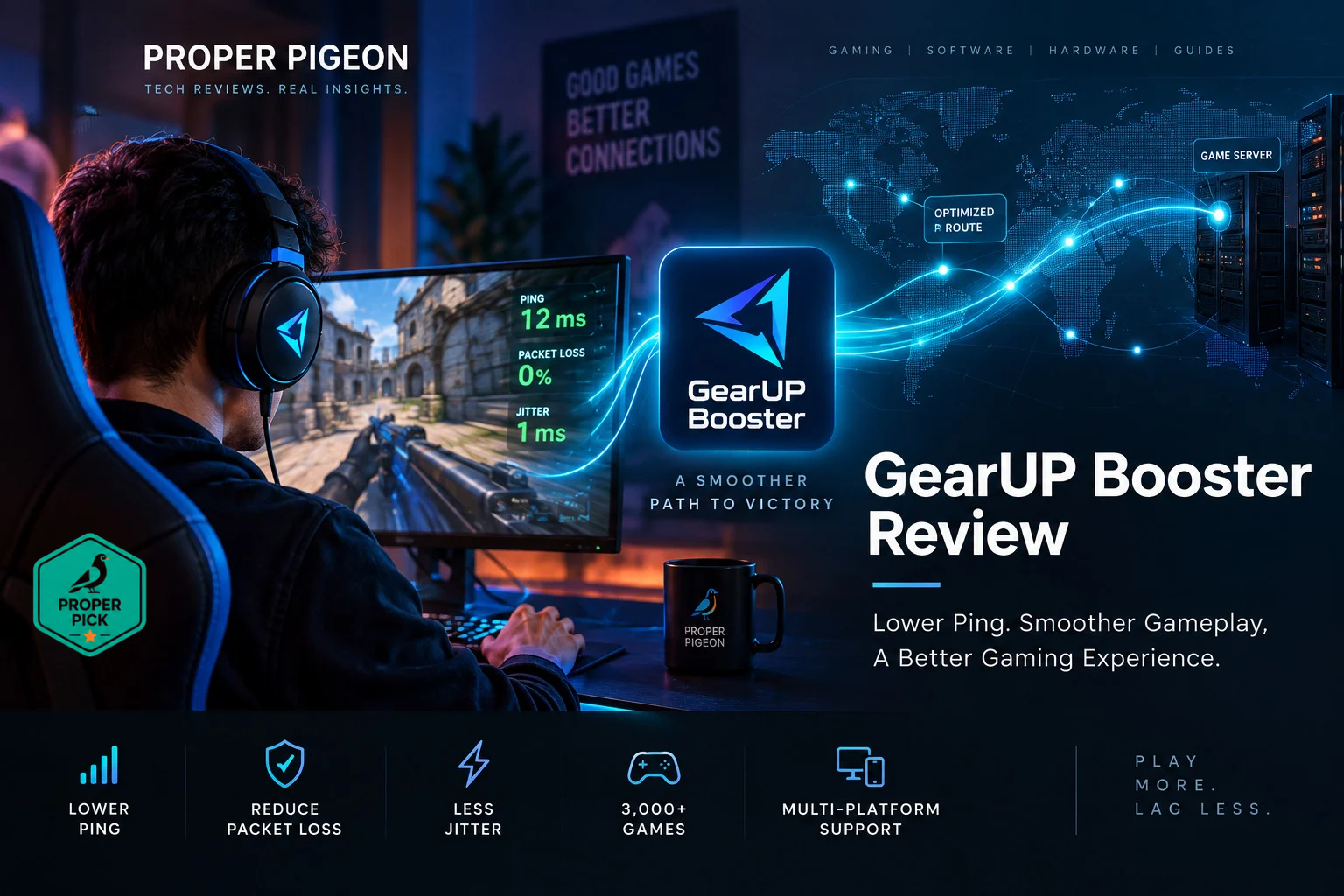
GearUP Booster promises lower ping, packet loss, and jitter through network route optimization. Here’s how it actually works, when it can help, and when it can’t.
High ping can ruin an online game. But the frustrating part is that upgrading your Internet connection does not always solve it.
You can have a fast fiber connection and still experience high latency, packet loss, jitter, or unstable connections to certain game servers. That happens because Internet performance is not only about bandwidth.
Routing matters too.
The path your traffic takes between your computer and the game server can sometimes be inefficient, congested, or simply longer than necessary. GearUP Booster is designed to address that specific problem.
Rather than increasing your Internet speed, GearUP attempts to optimize the network route used by your gaming traffic. The company says its Adaptive Intelligent Routing technology can select optimized paths between players and game servers to help reduce ping, packet loss, jitter, and cross-region instability. GearUP currently supports Windows, mobile devices, and consoles, although implementation differs between platforms.
But there is an important limitation to understand:
A route optimizer cannot fix every cause of high ping or poor gaming performance.
If your problem is caused by weak Wi-Fi, an overloaded home network, hardware problems, low FPS, or the game server itself, changing the route across the Internet may accomplish very little.
So the real question isn’t simply whether GearUP works. It is: does GearUP address the particular network problem causing your gaming latency? That is what we’ll examine in this review.
Quick Verdict: Is GearUP Booster Worth It?
GearUP is worth considering if you experience high or inconsistent latency to specific game servers, particularly when connecting across regions or when your ISP’s default route appears inefficient.
It is less likely to help when the real problem is inside your local network, computer, Wi-Fi connection, Internet access link, or the game server itself.
GearUP makes the most sense when:
- Your connection is normally stable but certain game servers have unusually high ping
- Latency changes significantly depending on the destination
- You play on servers located far from your region
- Packet loss or jitter appears somewhere beyond your local network
- Your ISP is taking an inefficient route to the game server
- You want to test an alternative route without changing ISPs
GearUP probably won’t solve:
- Poor Wi-Fi signal
- Overloaded Wi-Fi
- Insufficient Internet bandwidth
- Other devices saturating your connection
- Low FPS
- CPU or GPU performance problems
- Overloaded game servers
- Physical distance that makes low latency impossible
- Every type of packet loss
That distinction is the most important thing to understand before paying for any gaming network optimizer.
Try GearUP and Get 10% Off — Code PROPERPIGEON10
What Is GearUP Booster?
GearUP is a network optimization service designed primarily for online gaming.
The service currently advertises support for more than 3,000 games and multiple platforms including Windows, Android, iOS, PlayStation, Xbox, Nintendo Switch, Steam Deck and other devices. GearUP also advertises a free trial.
Instead of trying to make your Internet connection itself faster, GearUP focuses on the route between your device and the gaming infrastructure. The company calls its routing technology Adaptive Intelligent Routing (AIR).
In simple terms, GearUP attempts to identify a better network path for supported game traffic rather than relying exclusively on the default route selected by your Internet provider. Its documentation also exposes concepts such as nodes, modes and server selection to users troubleshooting latency or packet-loss problems.
This makes GearUP fundamentally different from many applications marketed as generic PC “game boosters.” It isn’t primarily trying to free RAM or increase GPU performance. The core problem it is trying to solve is network path quality.
Why Can You Have High Ping on a Fast Internet Connection?
This is where understanding basic networking helps. Internet speed and Internet latency are different things.
A 1 Gbps fiber connection tells you how much data the connection can potentially transfer. It does not guarantee that a packet will travel between your computer and a game server in 20 milliseconds.
Imagine your gaming traffic traveling roughly like this:
Gaming PC → Home Network → ISP → Internet Transit → Game Network → Game Server
There can be multiple routers and networks between those endpoints. And your ISP must make routing decisions about how traffic reaches external networks.
The technically valid route is not necessarily the route that produces the best gaming latency. For example, imagine two possible paths:
Route A: Player → ISP → Network A → Network B → Network C → Game Server
Route B: Player → ISP → Network D → Game Server
If Route B has better connectivity and less congestion, it could potentially deliver better latency even though your home Internet connection has not changed at all.
This is the general problem that services such as GearUP attempt to address.
How GearUP Booster Works
According to GearUP, its AIR technology analyzes network conditions and routes supported game traffic through optimized network paths. GearUP describes the technology as selecting better routes for game packets while avoiding problematic or congested paths when alternatives are available.
Conceptually, instead of “you → ISP default route → game server,” you may get something closer to “you → GearUP optimized route → game server.”
The goal is not to change the game. The goal is to change how traffic reaches it. That can potentially affect three important gaming metrics.
Ping
Ping is commonly used as a practical measure of network latency. Lower latency generally means less delay between an action and the network response associated with it.
But route optimization cannot eliminate physical distance. If you are thousands of miles away from the server, there is a physical lower bound on how quickly data can travel. No software can turn a geographically distant server into a local one.
Packet Loss
Packet loss occurs when packets fail to reach their destination. In online gaming, this can contribute to symptoms such as rubber-banding, delayed actions, temporary freezes, inconsistent movement, and disconnections.
Alternative routing can potentially help if the packet loss is occurring somewhere along the route that the optimization service can avoid. But if packets are being lost because your Wi-Fi connection is unstable, rerouting Internet traffic will not fix the Wi-Fi problem.
Jitter
Jitter refers to variation in packet delay. For real-time applications, consistency can sometimes matter almost as much as the average latency.
A connection constantly moving between 30 ms, 100 ms and 50 ms may feel less stable than one consistently operating around 50 ms. GearUP explicitly positions its service around reducing ping, packet loss and jitter, rather than simply advertising higher bandwidth.
GearUP Booster vs. a Gaming VPN
One obvious question is: isn’t GearUP basically a VPN? There is some conceptual overlap because both can change the path traffic takes through the Internet. But the goals are different.
| Feature | GearUP / Route Optimizer | Traditional VPN |
|---|---|---|
| Primary goal | Gaming route optimization | Privacy/security |
| Traffic focus | Gaming traffic | Usually general Internet traffic |
| Route selection | Game/network performance oriented | VPN server oriented |
| Encryption | Not the primary value proposition | Core feature |
| IP privacy | Not the primary purpose | Common purpose |
| Potential latency improvement | Yes, depending on route | Possible, but not primary objective |
| Privacy replacement | No | Yes, depending on VPN/service |
A VPN can occasionally improve gaming latency if its route happens to be better than your ISP’s default route. But that is not what a conventional VPN is primarily designed to accomplish.
Similarly, GearUP should not be treated as a replacement for a privacy VPN. These are different tools solving different problems.
If you’re also considering a general-purpose VPN for gaming, see our NordVPN for Gaming breakdown of when a VPN helps and when it doesn’t.
When GearUP Can Actually Help
The strongest technical case for GearUP is when the bottleneck is outside your local network but before the game server.
Consider this scenario: your local connection is healthy, Wi-Fi or Ethernet is stable, your Internet connection isn’t saturated, and other nearby services perform normally — but one particular game or geographic server consistently experiences high ping, jitter, and occasional packet loss.
That is when experimenting with a different network route becomes reasonable.
Cross-region gaming is another logical use case. GearUP itself specifically markets the service for cross-region instability and long-distance gaming connections.
The important word, however, is experimenting. Routing conditions vary by country, ISP, city, game, server, time of day, and Internet transit providers. Someone else’s benchmark does not guarantee your result.
When GearUP Probably Won’t Fix Your Problem
This section matters just as much as the benefits. Before paying for any ping booster, determine whether your problem actually involves Internet routing.
Weak Wi-Fi
If your signal is poor, fix the local wireless network first. Try Ethernet temporarily. If packet loss disappears, the Internet route probably wasn’t the primary problem.
Network Congestion at Home
Someone downloading hundreds of gigabytes, cloud backups running at full speed, video streaming across multiple devices, or poorly managed upload saturation can affect latency. A gaming route optimizer doesn’t create additional bandwidth.
Low FPS
Network latency and rendering performance are different problems. If the game is running at 25 FPS because the GPU cannot keep up, changing the network route will not fix it.
Game Server Problems
If the game provider’s server is overloaded or experiencing an outage, the problem exists at the destination. There may be nothing for a route optimizer to bypass.
Physical Distance
Network optimization can sometimes remove inefficient routing. It cannot eliminate geography.
How to Tell Whether GearUP Is Helping
You don’t need an elaborate lab. You need a repeatable comparison.
Before enabling GearUP, record the game/server, region, approximate ping, packet loss if visible, connection stability, and time of test. Then enable GearUP and repeat under similar conditions. Don’t judge the result from one isolated ping measurement — look for a consistent improvement.
| Metric | Before | With GearUP |
|---|---|---|
| Average ping | Record it | Record it |
| Packet loss | Record it | Record it |
| Jitter/stability | Observe | Observe |
| Disconnects | Observe | Observe |
The company currently provides a free trial, which makes this approach particularly sensible.
If your actual game and server don’t improve, don’t pay merely because another player’s benchmark improved.
Which Platforms Does GearUP Support?
GearUP currently advertises support across Windows, Android, iOS, PlayStation, Xbox, Nintendo Switch, Steam Deck, PICO, Oculus Quest and other supported environments.
Implementation varies by platform, so you should check the current compatibility for your specific device and game before subscribing. For Windows, GearUP provides controls and troubleshooting around game servers, nodes and optimization modes — particularly relevant because the optimal route may depend on the game server you actually use.
What Games Does GearUP Support?
GearUP currently claims support for 3,000+ games across its supported platforms.
The important question isn’t whether that number is large. It is: does GearUP support the specific game and server region you use? Check that before subscribing. A catalog containing thousands of games has little value if the one game you need isn’t properly supported in your region.
Does GearUP Modify Game Files or Gameplay?
GearUP presents itself as a connection optimization service and explicitly states that it performs connection optimization without modifying gameplay. That distinction matters because network optimization is fundamentally different from software that modifies game mechanics.
However, users should still follow the rules of the individual game and platform they use, particularly because game policies can change.
From a security perspective, also remember that routing software occupies a position of trust in your network path. As with VPNs and similar networking applications, use software only from the official source and keep it updated.
Pros and Cons of GearUP Booster
Pros
- Designed specifically around gaming network performance — targets latency, packet loss, jitter and routing rather than generic PC optimization.
- Potentially useful for poor ISP routing — alternative paths can be valuable when the default Internet route is the problem.
- Cross-region use case — players connecting to distant regions are particularly exposed to routing quality.
- Multiple platforms — supports PC, mobile and multiple console environments.
- Free trial — particularly valuable for a network optimization product because results are highly dependent on location, ISP and game server.
Cons
- Results will vary — no route optimizer can guarantee lower latency for every ISP/server combination.
- Cannot fix local network problems — weak Wi-Fi and LAN congestion need to be fixed locally.
- Cannot fix hardware performance — network optimization will not increase GPU performance or FPS.
- Cannot eliminate geographic latency — physics still applies.
- Not a privacy VPN replacement — network route optimization and privacy are different objectives.
GearUP Booster Discount Code
Readers can use the promotional code PROPERPIGEON10 for 10% off GearUP.
Because GearUP offers a free trial, our recommendation is to test it first with the specific game, server and connection where you experience latency problems. Compare the connection before and after optimization and only subscribe if you see a meaningful improvement.
Try GearUP and Get 10% Off — Code PROPERPIGEON10
GearUP Booster FAQ
Does GearUP Booster really lower ping?
It can potentially lower ping when an inefficient or unstable network route contributes to the latency. It cannot guarantee lower ping because latency can also be caused by physical distance, local network problems, ISP congestion, or the game server itself.
Is GearUP Booster a VPN?
Not in the conventional privacy-VPN sense. Both technologies can influence the route traffic takes, but GearUP is designed around gaming connection optimization, while traditional VPN services primarily focus on creating an encrypted tunnel and providing privacy/security features.
Can GearUP fix packet loss?
Potentially, if packet loss occurs along a network path that GearUP can successfully route around. It won’t fix packet loss caused by problems such as weak local Wi-Fi.
Does GearUP increase Internet speed?
That isn’t the primary purpose. Bandwidth and latency are different metrics. GearUP focuses on the quality and routing of gaming connections rather than increasing the bandwidth supplied by your ISP.
Can GearUP increase FPS?
No. FPS primarily relates to how quickly your hardware and game engine render frames. Network latency is a different problem.
Is GearUP useful for cross-region gaming?
This is one of the stronger potential use cases because long-distance connections depend heavily on Internet routing and transit quality. GearUP explicitly markets its service for cross-region instability.
Should I use GearUP if I already have fast fiber Internet?
Possibly. A high-bandwidth connection does not automatically guarantee an optimal route to every game server. But first determine whether routing is actually causing your problem.
Final Verdict: Should You Try GearUP Booster?
GearUP addresses a real networking problem, but it is important to understand what that problem is. Internet bandwidth is not the same thing as latency, and a valid Internet route is not necessarily the best route for real-time gaming traffic.
When poor routing contributes to high ping, packet loss or jitter, a specialized route optimizer can potentially provide a better path to the game server. But GearUP isn’t magic. It won’t repair weak Wi-Fi, upgrade an overloaded Internet connection, increase GPU performance, fix an overloaded game server or eliminate the physical distance between you and another continent.
That is actually why GearUP’s free trial matters. Instead of asking “does GearUP work?” ask: “does GearUP improve the route between my connection and the game server I actually use?”
That is measurable. Test your normal connection. Test the same game and server with GearUP. Compare the results. If latency, packet loss or stability meaningfully improves, the service is solving a real problem for your connection. If it doesn’t, you probably need to investigate another part of the network.
Readers can use code PROPERPIGEON10 for 10% off if they decide to subscribe.