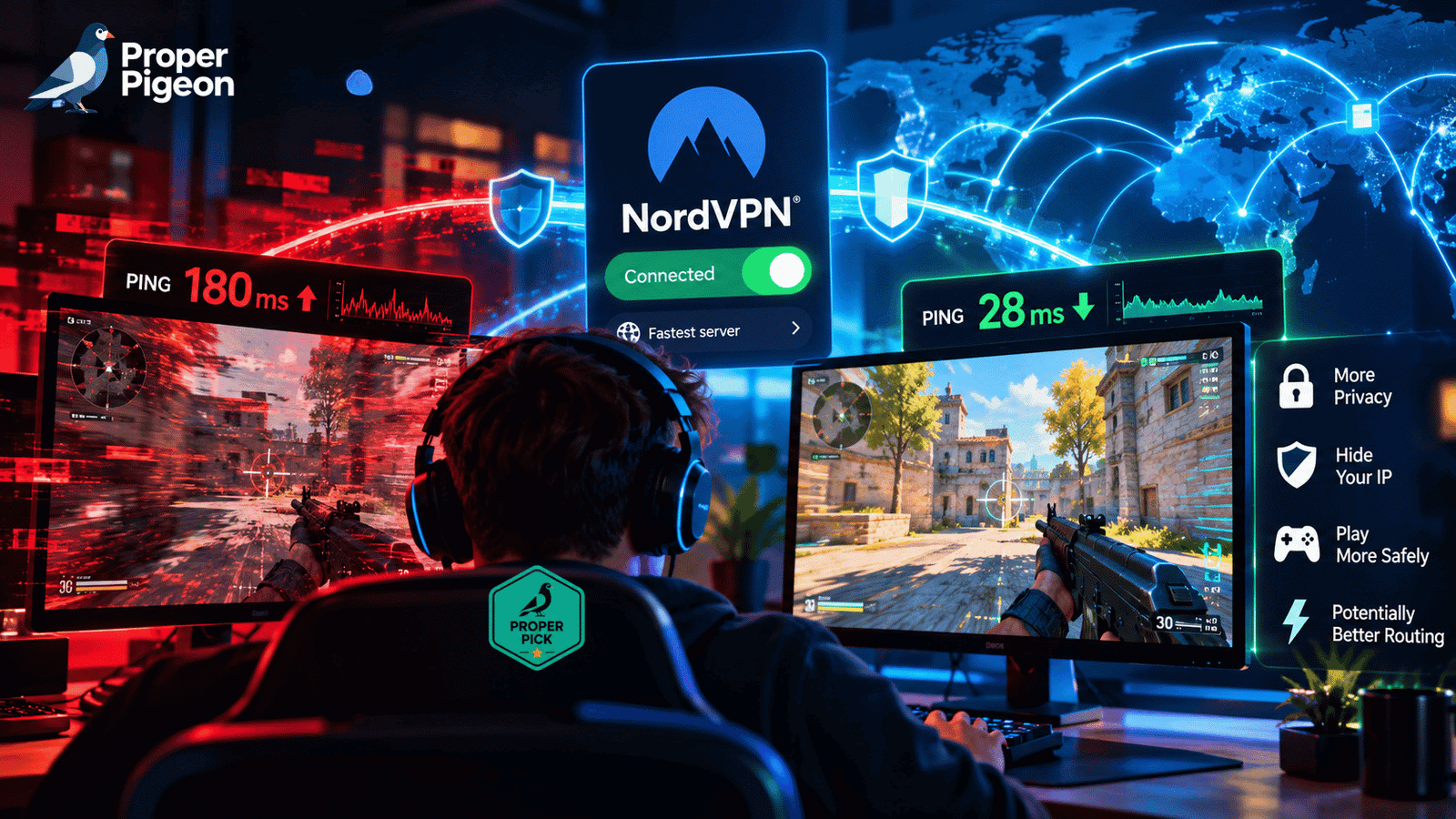
If your only reason for buying NordVPN is that you expect it to lower your ping, I would reconsider the purchase.
A VPN normally adds another stop between your device and the game server. Your traffic has to reach the VPN server before continuing to the game, and that extra route can increase latency rather than reduce it.
But that isn’t the whole story.
Internet traffic doesn’t always take the shortest or most efficient path. ISPs make routing and peering decisions, networks become congested, and sometimes the normal path between you and a particular game server is simply bad.
In those cases, sending your traffic through a different route can occasionally improve things.
That’s where NordVPN gaming performance becomes interesting — not because a VPN magically makes the internet faster, but because it can change the route your traffic takes.
There are other reasons a gamer might want a VPN too: hiding a home IP address, using a VPN on untrusted networks, or simply wanting privacy protection without having to turn the VPN off every time a game launches.
So the useful question isn’t: “is NordVPN fast?”
It’s: “what gaming problem am I trying to solve, and is a VPN actually the right tool for it?”
That’s what we’ll work through here.
The Short Answer: Is NordVPN Good for Gaming?
Yes, NordVPN can make sense for gaming, particularly if you already want a VPN for privacy and security.
But I wouldn’t buy it with the expectation that it will consistently lower your ping.
Here’s how I would look at the most common problems:
| Gaming problem | Can NordVPN help? | Why |
|---|---|---|
| Poor ISP routing | Sometimes | A VPN can send traffic through a different network path |
| High ping caused by physical distance | Usually no | A VPN can’t make the game server geographically closer |
| Bad Wi-Fi | No | The problem exists between your device and local network |
| Local network congestion | No | A VPN doesn’t create more local bandwidth |
| Packet loss somewhere along the ISP route | Possibly | A different route may avoid the problematic segment |
| Public IP exposure | Yes | The destination sees the VPN server’s IP instead |
| DDoS targeting your exposed home IP | Can reduce exposure | Your public IP isn’t directly exposed through the VPN connection |
| Privacy while gaming | Yes | Traffic is encrypted between your device and the VPN server |
The important word in several of those answers is sometimes.
Networking doesn’t give us a universal “VPN on = 20 ms less ping” formula.
Your ISP, location, game, game-server region, VPN-server selection, network conditions, and even the time of day can change the result.
Why NordVPN Will Usually Add Some Latency
It’s easier to understand gaming VPN claims if we first look at what happens without one.
A simplified normal connection looks something like this: Your PC → ISP → Internet route → Game server
Turn on NordVPN and it becomes: Your PC → ISP → NordVPN server → Internet route → Game server
We’ve added another destination.
Encryption and processing have overhead too, although with modern VPN protocols that overhead can be relatively small.
This is why I wouldn’t expect a VPN to reduce latency by default.
Even NordVPN acknowledges that VPN use can add latency and describes lower ping through a VPN as something that can occur when the VPN avoids an unstable or congested route used by the ISP.
That’s a much more realistic way to think about gaming VPNs than assuming a VPN inherently “boosts” your connection.
Ping and download speed aren’t the same thing
This distinction is particularly important for gaming.
You can have a 500 Mbps internet connection and still have a miserable experience in an online game.
Conversely, you can have much lower bandwidth and play perfectly well if the connection is stable and latency is low.
Gaming tends to care heavily about latency (how long packets take to travel), jitter (how much that latency fluctuates), and packet loss (whether some of those packets arrive at all).
A speed test showing hundreds of megabits per second doesn’t prove that your route to a Counter-Strike, Valorant, Fortnite, Call of Duty, or another game server is good.
So when evaluating NordVPN for gaming, I would care less about a giant download-speed number and more about what happens to actual in-game latency and stability.
When NordVPN Can Actually Lower Your Ping
This is the exception that makes the subject interesting.
Imagine that you’re in City A and your game’s server is in City B.
Your ISP doesn’t necessarily send your traffic along the geographically shortest line between those cities. Traffic moves between networks according to routing relationships, peering arrangements, congestion, and other infrastructure decisions.
The route could be inefficient.
Now you connect to a NordVPN server.
Your traffic follows a different path to reach NordVPN’s network and then continues toward the game server.
If that new path happens to avoid the problematic segment, your latency or packet loss could improve even though you’ve technically added a VPN to the connection.
That’s plausible.
What isn’t plausible is assuming it will happen for everyone.
If your normal ISP route is already efficient, adding a VPN is more likely to leave your latency similar or make it somewhat worse.
And if you’re in New York playing on a server in Tokyo, NordVPN cannot repeal physics. The packets still need to travel thousands of miles.
A VPN can sometimes route around a network problem. It cannot route around geography.
That distinction would determine whether I bought NordVPN specifically for a latency problem.
NordLynx Is Where I’d Start for Gaming
If I were setting up NordVPN specifically for gaming, I’d start with NordLynx.
NordLynx is NordVPN’s VPN protocol built around WireGuard. NordVPN positions it as its speed-oriented protocol and recommends it for situations where connection performance matters.
That doesn’t mean OpenVPN suddenly becomes unusable for gaming.
It means that if we’re trying to minimize the additional overhead introduced by the VPN, I see little reason to make a heavier protocol my starting point when NordLynx is available.
My first test would therefore be: NordLynx + a nearby NordVPN server.
Not an exotic server halfway around the world. Not additional routing just because the option exists. Start simple.
How I Would Test NordVPN for Gaming
I wouldn’t rely on someone else’s speed-test screenshot to decide whether NordVPN improves my gaming connection.
I’d test the actual route. And I’d try to keep the comparison controlled.
1. Establish a baseline
Turn NordVPN off. Connect to the game server or region you normally use and record what you actually experience.
Look at in-game ping, packet loss if the game exposes it, latency variation, and any disconnects or obvious lag spikes.
Do this over more than a few seconds. A single ping reading doesn’t tell you much about connection stability.
2. Connect to a nearby NordVPN server
Enable NordLynx and choose a geographically sensible NordVPN server. Then connect to the same game region.
Don’t change three variables at once. If you change the VPN location, game-server region, Wi-Fi network, and time of day simultaneously, you’ve learned very little from the comparison.
3. Compare the game, not just a speed test
A conventional speed test is useful for seeing whether something is catastrophically wrong with your VPN connection. It doesn’t necessarily represent the route to your game server.
Play the same game. Watch its network statistics.
If ping moves from 30 ms to 45 ms but remains perfectly stable, that’s one result. If it moves from an unstable 90–150 ms with packet loss to a consistent 70 ms, that’s a completely different result.
4. Try an alternative route only when there’s a reason
If your normal connection to a particular game region is consistently bad, experiment with a VPN server that makes geographical sense relative to you and that game infrastructure.
You’re looking for a better network path, not a country flag that looks interesting.
5. Test when you actually play
If your routing problem happens every evening at 8 PM, a test at 10 AM doesn’t answer the question.
This is one reason I’m cautious about universal VPN gaming benchmarks. The test that matters most is the one performed on your ISP, from your location, to your game server, when you actually play.
What About NordVPN’s Server Network?
A large VPN network is useful for gaming, but not because more servers automatically mean lower ping.
What matters is having reasonable server choices near the locations that make sense for your connection.
NordVPN currently operates thousands of servers across a large number of countries and locations, giving users substantially more routing choices than a small VPN network. Its support documentation maintains the current server availability rather than requiring users to rely on an old server count.
But I wouldn’t choose a server by scrolling through countries and guessing.
Start with a nearby server. If you’re trying to solve a specific routing problem, then test alternatives deliberately.
And don’t confuse countries, server locations, and individual servers when comparing VPN networks. Those are different measurements.
Can NordVPN Protect Gamers From DDoS Attacks?
There’s a legitimate benefit here, but “DDoS protection” needs some qualification.
When you connect through NordVPN, the remote destination sees the VPN server’s public IP rather than your residential public IP.
That reduces direct exposure of your home IP.
If an attacker only knows the VPN IP you’re using, an attack against that address is directed toward the VPN infrastructure rather than directly toward your home connection.
That’s useful in environments where exposing an IP to untrusted players or peers is a concern.
But I wouldn’t describe this as “NordVPN makes you immune to DDoS attacks.”
It doesn’t.
Turning on a VPN doesn’t magically make a previously exposed residential IP cease to exist. Nor does it prevent every possible attack against your accounts, devices, games, or network.
The practical benefit is simpler: a VPN can prevent your home IP address from being directly exposed through traffic that is going through the VPN.
For some gamers, that’s a meaningful security benefit even if the VPN does absolutely nothing positive for their ping.
Split Tunneling Can Solve an Annoying Gaming Problem
Suppose you want NordVPN running on your PC for browsing and other applications, but one particular game performs worse through the VPN.
You could turn NordVPN off every time you launch it. Or, on supported platforms, use split tunneling.
NordVPN’s split-tunneling feature allows selected applications to bypass the VPN while other applications continue through the encrypted tunnel. Its current documentation provides this functionality on Windows and Android/Android TV, with platform-specific implementation differences.
For a gaming PC, that’s genuinely useful. You could have:
Browser → NordVPN
Other supported traffic → NordVPN
Game → normal ISP connection
That gives you another option when a game doesn’t benefit from the VPN route.
It also reinforces an important point: you don’t have to force every game through NordVPN just because you’ve paid for NordVPN. Use the VPN where it solves a problem.
NordVPN on PlayStation and Xbox Isn’t as Convenient
PC gaming is straightforward because you can run the NordVPN application on the computer.
Console gaming requires more work.
You cannot simply open the PlayStation Store or Xbox Store and install a normal NordVPN app. NordVPN’s current support documentation directs console users toward alternatives such as configuring the VPN on a compatible router or sharing a VPN-protected connection from another device.
That’s workable. It isn’t as convenient as clicking Connect on a gaming PC.
And router-level VPN configuration introduces another consideration: the router itself needs enough processing capacity to handle VPN traffic without becoming a bottleneck.
If console gaming were my primary use case, I’d consider that setup friction before subscribing rather than discovering it afterward.
GearUP Booster vs. NordVPN: They’re Solving Different Problems
This is where gaming-networking advice can become confused.
A VPN and a gaming route optimizer can both change how traffic reaches a game server. That doesn’t make them the same tool.
NordVPN is a general-purpose VPN. Its primary architecture creates an encrypted tunnel between your device and a VPN server, hides your public IP from the destination, and provides privacy and security benefits well beyond gaming.
GearUP Booster is built around game-route optimization. Its reason for existing is the gaming connection itself.
So I wouldn’t ask “which one wins?” I’d ask what I’m trying to fix.
| If I need… | I’d investigate… |
|---|---|
| Privacy and encryption beyond gaming | NordVPN |
| Public IP masking | NordVPN |
| VPN protection on untrusted networks | NordVPN |
| A VPN I can also leave on while gaming | NordVPN |
| A tool specifically aimed at game routing | GearUP Booster |
| Help with one persistently bad route to a game server | Route optimization before assuming a general VPN is the answer |
| Better Wi-Fi inside my house | Neither |
If my only problem were poor routing to a particular game server, I’d investigate a gaming route optimizer before buying a general-purpose VPN solely to reduce ping.
If I wanted privacy, IP masking, and a VPN for everyday internet use that I could also game through, NordVPN would solve a broader problem.
Related: GearUP Booster Review: Can It Really Reduce Ping and Packet Loss?
Which NordVPN Plan Makes Sense for Gaming?
For gaming alone, I would start with Basic.
Basic already includes the NordVPN service and the functionality that matters most to this use case.
The more expensive tiers bundle additional security, identity, password-management, storage, and other features depending on the plan. Those extras may be useful for other reasons.
They don’t give your game traffic a special faster route.
So I wouldn’t move to a higher NordVPN tier purely because I was a gamer.
NordVPN frequently runs introductory promotions, and those prices can change. Rather than choosing based on a promotional monthly equivalent, I’d compare the total amount charged upfront, subscription length, and renewal price shown at checkout.
NordVPN also currently offers a 30-day money-back guarantee. That’s particularly relevant for gaming because it gives you an opportunity to answer the question no benchmark can answer perfectly: does NordVPN work well on my connection and with the games I actually play?
Check NordVPN’s Current Plans →
When I Would Use NordVPN for Gaming
I’d consider NordVPN if I already wanted a VPN for privacy or security and needed one that wouldn’t force me to stop gaming every time it was enabled.
I’d also test it if I had evidence that my ISP’s route to a particular game region was problematic.
And I’d consider it when hiding my residential IP from remote peers or services was relevant to the way I played.
What I wouldn’t do is buy NordVPN because an advertisement convinced me that every VPN reduces ping.
That’s not how the network path works.
If my problem were weak Wi-Fi, I’d fix Wi-Fi. If other people in the house were saturating the connection, I’d investigate local congestion and QoS. If the game server were simply too far away, I’d choose a closer game region where possible. If one specific route were consistently bad, I’d investigate routing.
The VPN only belongs in the solution when the VPN actually addresses the cause.
Does NordVPN Cause Lag?
It can.
Any VPN can add latency because traffic is being routed through another network.
The more useful question is how much latency it adds on your connection.
With an efficient protocol, a nearby VPN server, and a good network path, the difference may be small enough that you don’t care.
With a distant VPN server or poor route, the difference can be very noticeable.
And in the unusual case where NordVPN avoids a particularly bad ISP route, your result can go in the other direction.
That’s why I wouldn’t answer “does NordVPN cause lag?” with a universal yes or no. Test the route.
Which NordVPN Server Should I Use for Gaming?
I’d start with a server geographically close to me. That usually minimizes the first part of the VPN route.
If you’re specifically troubleshooting a poor path to a game server, then alternative locations may be worth testing — particularly locations that make geographical and network sense relative to the game’s region.
I wouldn’t automatically connect to the same country as the game server.
Sometimes that works. Sometimes you’ve simply created a much longer first leg between yourself and the VPN.
The goal is the lowest and most stable total path, not the smallest apparent distance between the VPN location and the game server.
Is NordLynx Better Than OpenVPN for Gaming?
NordLynx would be my first choice.
For a gaming connection, we’re trying to minimize VPN overhead, and NordLynx is NordVPN’s WireGuard-based protocol designed around fast VPN connectivity.
That doesn’t mean OpenVPN cannot run a game.
It means I’d need a reason to choose it over NordLynx when performance and latency are the immediate priorities.
If you’re troubleshooting, test rather than assume. Different networks can behave differently.
Can I Use NordVPN on PS5 or Xbox?
Yes, but not through a native NordVPN console app.
NordVPN currently recommends approaches such as configuring the VPN on a compatible router or sharing a VPN-protected connection with the console.
That makes NordVPN substantially easier to use on a Windows gaming PC than on a console.
Does NordVPN Lower Ping?
Possibly, but I wouldn’t expect it.
If your ISP already has a good route to the game server, adding a VPN is unlikely to create a miraculous shortcut.
If the normal route is congested or inefficient and NordVPN sends the traffic over a better path, latency or stability can improve.
Treat lower ping as a possible routing outcome, not a product guarantee.
Is NordVPN Better Than a Gaming Booster?
They’re built for different jobs.
NordVPN is a VPN that can change your network route as a consequence of creating a private encrypted connection.
A product such as GearUP Booster is specifically designed around optimizing game traffic and routes.
If you’re only trying to fix game routing, I’d investigate the specialized tool.
If you want the broader benefits of a VPN and also need it to work well while gaming, NordVPN is the more relevant category.
So, Is NordVPN Worth It for Gaming?
I wouldn’t buy NordVPN solely because I expected it to lower my ping.
That’s the wrong expectation.
I’d buy it if I wanted a VPN for privacy and security that I could also use while gaming without imposing an unreasonable performance penalty on my connection.
I’d also test it if I suspected poor ISP routing, because changing the network path can sometimes improve an otherwise bad connection.
But I’d treat that improvement as a bonus to verify, not a promise.
If my only problem were high ping to one particular game server, I’d investigate the route itself — and potentially a game-specific route optimizer — before assuming that a general-purpose VPN was the right tool.
And if my problem were bad Wi-Fi, local congestion, or sheer physical distance from the game server, I wouldn’t buy either one.
That’s ultimately the useful way to evaluate NordVPN for gaming: don’t start with the product. Start with the network problem.
If a VPN addresses that problem, NordVPN makes sense to test. If it doesn’t, adding another hop to the connection isn’t going to fix it.
Want to see how NordVPN performs on your own gaming connection? The useful test isn’t someone else’s benchmark. Compare it on your ISP, your game servers, and at the times you normally play.