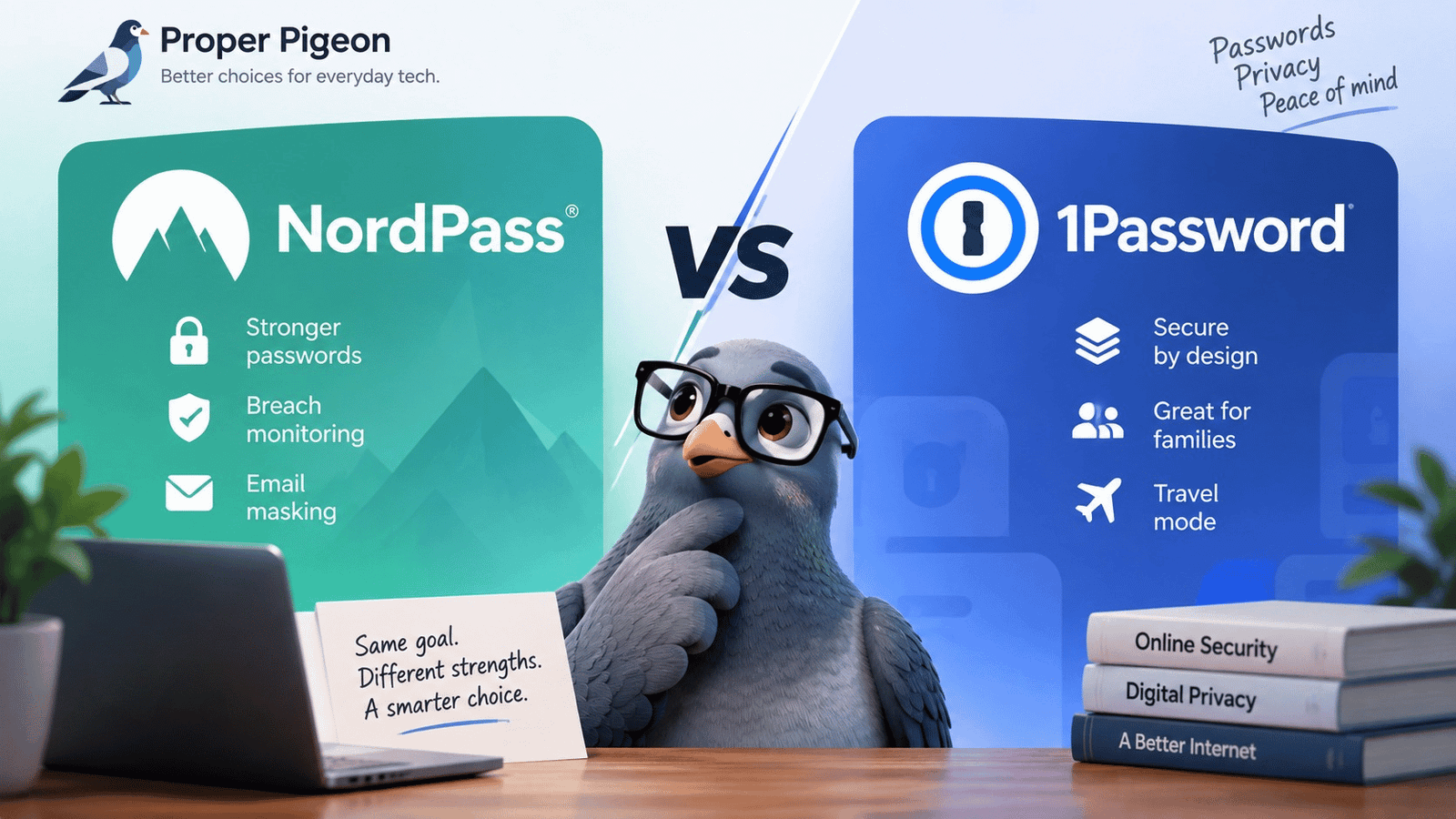
NordPass and 1Password solve the same basic problem: keeping your passwords, passkeys, payment details, and other sensitive information protected without forcing you to remember dozens of credentials.
But choosing between them gets more interesting once you move beyond basic password storage.
NordPass puts a strong emphasis on straightforward password management plus security extras such as Password Health, data breach monitoring, email masking, and Emergency Access. 1Password takes a somewhat different approach, combining password management with its Secret Key security model, Watchtower alerts, flexible vault organization, Travel Mode, and particularly strong family account management.
Both also support passkeys, autofill, secure sharing, multiple devices, and the core features most people now expect from a modern password manager.
So the useful question isn’t simply “which password manager has more features?”
It’s: which one gives you the better combination of security, convenience, and value for the way you actually manage your digital life?
That’s what this NordPass vs 1Password comparison is designed to answer.
How we evaluated NordPass and 1Password
We compared both password managers across the areas that matter most in everyday use: security architecture, password and passkey management, breach protection, sharing, account recovery, family features, platform support, migration, and overall value.
Features and plan details were checked against current product and support documentation. Because password managers change over time, current pricing and promotional offers should always be confirmed directly with the provider before subscribing.
NordPass vs 1Password at a Glance
| Feature | NordPass | 1Password |
|---|---|---|
| Password storage & autofill | Yes | Yes |
| Password generator | Yes | Yes |
| Passkey support | Yes | Yes |
| Core security approach | Zero-knowledge, end-to-end encryption, XChaCha20 | End-to-end encryption, account password + Secret Key |
| Password health monitoring | Password Health | Watchtower |
| Breach monitoring | Data Breach Scanner + exposed-password detection | Watchtower |
| Email masking | Included with eligible paid NordPass plans | Not a directly equivalent core feature |
| Emergency/recovery feature | Emergency Access on paid personal plans | Recovery codes + family recovery system |
| Secure sharing | Yes, paid plans | Yes |
| Family plan | 6 accounts | 5 seats included |
| Travel-specific vault protection | No direct equivalent highlighted | Travel Mode |
| Try before paying | Permanent free tier (with limitations) | Free trial |
| Worth considering if… | Users wanting a streamlined password manager with useful privacy/security extras | Users prioritizing vault organization, family management and 1Password’s security/recovery ecosystem |
The table makes one thing clear: this isn’t a comparison between a capable password manager and an inadequate one.
The real differences are in how NordPass and 1Password build additional security and convenience around the vault.
Security: Two Strong Approaches, But They Aren’t Identical
Security is the first place where a password-manager comparison can become misleading.
It’s tempting to look at encryption algorithm names and declare one product the winner. In reality, password-manager security depends on much more than the cipher listed on a product page.
NordPass uses a zero-knowledge architecture and encrypts vault data locally before it is uploaded. Its current security documentation describes a multi-layer design using XChaCha20-Poly1305 for encryption and Argon2id as part of the process used to derive a key from the user’s Master Password.
The important practical idea behind the zero-knowledge model is straightforward: NordPass is designed so the provider itself cannot simply read what you store in your vault.
1Password also encrypts vault information end to end, but its account architecture has a distinctive element: the Secret Key.
The Secret Key works alongside your account password as part of 1Password’s protection model. According to 1Password’s current documentation, vault information — including details such as URLs and item titles — is protected with end-to-end encryption.
What does that mean for you?
Both services have serious security architectures.
NordPass’s design is attractive if you want a zero-knowledge password manager built around a modern encryption architecture without adding too much conceptual complexity to everyday password management.
1Password’s Secret Key adds another component to its account-security model. That’s a meaningful architectural distinction, although it also means understanding and protecting another important recovery credential.
We wouldn’t choose between the two solely because one security page contains a more impressive-looking encryption term.
How securely you configure and use the password manager matters enormously too — especially your master/account password, multifactor authentication, device security, and recovery setup.
Password Management: The Fundamentals Are Strong on Both
For most people, the feature that matters every day isn’t the encryption algorithm. It’s autofill.
A password manager can have an excellent security architecture and still become frustrating if saving and retrieving credentials creates friction.
Both NordPass and 1Password cover the expected fundamentals: saving credentials, generating strong passwords, filling login information, and synchronizing data across supported devices.
NordPass can store passwords, passkeys, credit cards, secure notes, and contact information. Its browser and app experience is designed to detect credentials and offer to save or autofill them when needed.
1Password similarly handles passwords and other account information through its apps and browser extensions, including automatic saving and filling of credentials. Its current personal plans support major browsers including Chrome, Safari, Edge, Firefox, and Brave.
For an ordinary user moving away from memorized passwords, spreadsheets, or browser-only password storage, either product covers the core job well on paper.
The more meaningful differences start appearing when you look beyond the vault itself.
Password Health vs. Watchtower
This is one of the most useful comparisons between NordPass and 1Password.
Saving a weak password securely doesn’t make that password strong. A good password manager should therefore help identify credentials that need attention rather than merely store them.
NordPass Password Health
NordPass’s Password Health tool identifies categories including weak, reused, and exposed passwords. The exposed-password component checks whether passwords in your vault correspond to passwords known to have been exposed.
NordPass also has a separate Data Breach Scanner, which can monitor information such as email addresses and credit card numbers for exposure in known breaches.
That separation is useful to understand: Password Health looks at the condition of credentials in your vault. Data Breach Scanner looks for indications that personal information you monitor has appeared in compromised data.
1Password Watchtower
1Password takes a more consolidated approach through Watchtower. Watchtower provides alerts involving issues such as weak or reused passwords and breached websites, helping identify accounts that deserve attention.
Neither approach changes a compromised account for you. If a service has actually been breached or a credential is exposed, you still need to secure the affected account.
Proper Pigeon take
For basic password hygiene, both products address the right problem.
Where NordPass becomes particularly interesting is that its paid personal feature set extends beyond password-health reporting into a broader group of privacy/security tools — especially the Data Breach Scanner and Email Masking.
That gives NordPass a stronger argument for upgrading from its free tier than simply “pay to store passwords.”
NordPass Email Masking Is a Genuinely Useful Extra
Email addresses have quietly become identifiers for a huge portion of your digital life.
Every online store, newsletter, app, forum, streaming service, free trial, and random website that receives your primary email address creates another place where that address may eventually be exposed, shared, targeted, or leaked.
NordPass addresses this with Email Masking.
The feature generates alternative email addresses that forward messages to your real inbox, allowing you to register for services without giving every website your primary address. NordPass currently says Premium and Family users can create up to 200 masks per account.
This isn’t a replacement for protecting your actual email account, and an alias doesn’t make you anonymous. But it’s a useful privacy layer.
If you frequently create accounts, shop online, subscribe to services, or simply want to reduce how widely your primary email address circulates, this is one of the more tangible differences in NordPass’s paid feature set.
Proper Pigeon perspective: features like this matter more to us than padding a comparison with dozens of minor checkmarks. It’s something you can actually incorporate into everyday account hygiene.
Check Current NordPass Plans →
Passkeys: Both Are Preparing for a Less Password-Dependent Future
Passwords aren’t disappearing overnight, but passkeys are becoming increasingly important.
Both NordPass and 1Password can store and use passkeys for compatible accounts. NordPass also allows passkeys to be shared like other supported vault items.
1Password supports saving and using passkeys in its browser experience and on supported operating systems. Passkeys stored in 1Password can also be viewed, moved and shared.
For someone choosing a password manager now, that’s important. You don’t want to migrate hundreds of credentials into a product whose design assumes passwords will remain the only authentication method that matters.
One migration caveat
Passkeys are still more complicated to move between ecosystems than conventional passwords.
The current NordPass documentation, for example, says passkeys cannot be imported or exported through its password-manager migration process. 1Password’s documentation also contains platform-specific limitations around exporting passkeys.
So if passkeys already represent a significant part of your accounts, investigate migration compatibility before changing password managers.
NordPass Free vs. Premium: The Free Plan Is a Starting Point, Not the Full Experience
NordPass has something 1Password doesn’t offer in the same way: a permanent Free tier.
But this needs context.
NordPass Free can be installed on multiple devices and synchronizes data, but the current plan allows one active session on one device at a time. Premium allows simultaneous active sessions across unlimited devices.
That’s an important difference if you regularly move between a desktop, laptop, phone, or tablet.
Premium also adds the features that make NordPass more than a basic password vault, including:
- Password Health
- Data Breach Scanner
- Email Masking
- Secure Item Sharing
- File Attachments
- Emergency Access
- Authenticator
This is why we see NordPass Free primarily as a low-risk way to try the core service, rather than the most relevant comparison against 1Password.
If you’re actually deciding whether to pay for NordPass or 1Password, NordPass Premium is the more meaningful comparison.
And that’s where NordPass’s combination of password management, breach monitoring, password health, email masking, and multi-device convenience becomes much more compelling.
Sharing Passwords and Sensitive Information
Sending a password through email or a messaging app is easy. That doesn’t make it a good habit.
NordPass Premium supports secure item sharing with different access levels. Depending on the item and permissions, recipients can receive rights such as viewing, editing, sharing, or autofilling information.
Its newer sharing implementation also supports time-limited sharing on paid plans, although NordPass notes an important restriction: account holders in different NordPass data centers cannot currently share items with each other.
1Password also emphasizes sharing through its vault model. Personal/family accounts can use shared vaults, and its current personal plan documentation includes temporary item sharing and shared-vault management.
For occasional sharing, both cover the important requirement: you shouldn’t need to copy a sensitive credential into an unprotected message just to give it to someone you trust.
For households with multiple people and more complicated sharing requirements, however, 1Password’s family structure deserves closer attention.
NordPass Family vs. 1Password Families
This is one area where choosing based on household structure makes more sense than trying to declare a universal winner.
NordPass Family currently provides the benefits of Premium across six separate accounts.
1Password Families currently includes five seats in its base plan and uses private and shared vaults so family members can keep personal information separate while sharing selected information with the household.
But 1Password’s strongest family differentiator isn’t simply the number of seats. It’s recovery.
Family organizers can help recover another family member’s account. The recovery process provides the recovered member with a new Secret Key and allows them to establish a new account password while retaining access to their existing data. 1Password also supports recovery codes.
That’s particularly valuable in a household where not everyone is technically inclined.
NordPass takes a different approach with Emergency Access. A Premium or Family subscriber can designate another NordPass user who can request access to passwords and secure notes in an emergency without needing the owner’s Master Password.
These solve related but not identical problems.
Choose based on what you need: 1Password has a particularly thoughtful family administration and account-recovery model, while NordPass offers six Premium-equipped family accounts plus Emergency Access.
Emergency Access vs. Account Recovery
This distinction deserves its own section because the two concepts are easy to confuse.
Account recovery is about helping you regain access when credentials required to unlock your password manager are lost.
Emergency access is about enabling a trusted person to access important information if you cannot.
NordPass’s Emergency Access is especially relevant for digital-estate planning. A trusted person could potentially need access to important accounts if you’re hospitalized, incapacitated, or otherwise unavailable.
1Password’s family recovery system is more focused on restoring access to a family member who has been locked out, with recovery codes providing an additional self-recovery mechanism.
Neither approach is automatically better. They’re designed around somewhat different scenarios.
1Password Travel Mode Is a Meaningful Differentiator
1Password has another unusual feature worth considering if you travel frequently: Travel Mode.
Its personal plans allow selected vaults to be marked as safe for travel so other vaults can be removed from devices while crossing borders.
That’s not something every user needs. Someone whose password manager mostly contains Netflix, Amazon, social media, and personal email credentials probably shouldn’t choose an entire password manager based on Travel Mode.
But for journalists, executives, frequent international travelers, people handling sensitive information, or anyone with a specific need to limit which vaults remain available on a travel device, it can be a meaningful advantage.
NordPass doesn’t present a directly equivalent personal feature in the documentation we reviewed.
This is a good example of why 1Password remains a serious alternative even when NordPass may offer better value for another type of user.
What About Pricing?
Pricing is one of the easiest ways for password-manager comparisons to become outdated.
Both companies can change prices and run introductory promotions, so we’d rather not pretend a promotional figure is the permanent cost of owning the product.
Instead, evaluate what you’re actually paying for.
With NordPass, the relevant paid proposition isn’t merely password storage. Premium combines the password manager with Password Health, breach scanning, email masking, sharing, Emergency Access, attachments, an authenticator, and simultaneous access across unlimited devices.
1Password’s paid proposition includes its password manager, Watchtower, Secret Key architecture, sharing, Travel Mode, and its broader vault/recovery system. Families adds household administration and recovery capabilities.
So when comparing the current checkout prices, ask: which features would I actually use?
Paying slightly less for features you don’t need isn’t automatically better value. Neither is paying more for advanced capabilities you’ll never touch.
Check Current NordPass Plans and Offers →
Switching from 1Password to NordPass
If you already use 1Password, switching doesn’t necessarily mean rebuilding your entire vault manually.
NordPass currently supports importing 1Password exports in CSV and 1PUX formats on desktop.
There is, however, an important security consideration whenever you migrate between password managers.
Export files can contain sensitive credentials in an unencrypted or otherwise portable form. NordPass explicitly recommends deleting exported password files after the migration is complete.
Before deleting anything from your existing password manager, verify that the information you need actually arrived correctly in the new vault.
Passkeys deserve extra attention because, as noted earlier, their portability can differ from conventional password records.
Switching from NordPass to 1Password
1Password also supports importing information from other applications, including data provided in CSV format.
The same migration principle applies: don’t cancel your existing password manager until you’ve verified the new vault.
Check your important logins, secure notes, payment information, shared items, two-factor authentication data, and any other information you depend on.
And securely remove temporary export files when they’re no longer needed.
NordPass or 1Password: Which Should You Choose?
After comparing the two, we don’t think the useful answer is that everyone should choose the same password manager.
There are clearer fits for different users.
Consider NordPass if…
NordPass makes particular sense if you want password management plus practical privacy and security tools without turning the product into something overly complicated.
Its combination of Password Health, Data Breach Scanner, Email Masking, Emergency Access, passkeys, secure sharing, and multi-device Premium access gives the paid product a broader purpose than simply remembering passwords.
The permanent Free option is also useful as an entry point: you can get familiar with the core password manager before deciding whether the Premium feature set is worth paying for.
For an individual user who wants a straightforward password manager but also values breach awareness and email privacy, NordPass Premium is a particularly well-balanced package.
See Current NordPass Premium Options →
Consider 1Password if…
1Password deserves serious consideration if you particularly value its Secret Key security architecture, vault organization, Travel Mode, or family recovery model.
Families with less technical members may appreciate the ability of family organizers to help recover accounts. Frequent travelers with sensitive vault information may also find Travel Mode more relevant than NordPass’s privacy extras.
1Password is therefore not simply the alternative we mention because this is a comparison article.
There are legitimate situations where its particular feature set is the better fit.
The Proper Pigeon Take
NordPass and 1Password are closer on the fundamentals than feature lists initially suggest.
Both manage passwords. Both support passkeys. Both provide autofill. Both protect vault information with architectures designed to prevent the provider from simply reading your secrets. And both add tools for identifying credential problems.
The decision becomes easier when you stop asking which one has the longest feature list.
NordPass stands out for combining straightforward password management with useful everyday security and privacy tools. Password Health, Data Breach Scanner, Email Masking, Emergency Access, and its six-account Family option make a convincing case for users who want more protection around their credentials without needing a complicated setup.
1Password stands out for its distinctive security and account-management ecosystem. The Secret Key, Travel Mode, flexible shared vaults, family organizers, and recovery mechanisms make it especially compelling for households and users with more specific vault-management requirements.
For a typical individual choosing between the two, we’d start by looking closely at NordPass Premium if breach monitoring, email masking, Emergency Access, and straightforward everyday password management match your priorities.
If family recovery, sophisticated vault organization, or Travel Mode is particularly important to you, 1Password deserves the closer look.
That’s ultimately the distinction that matters: don’t choose your password manager because one wins an arbitrary feature count. Choose the one whose extra features solve problems you actually have.
Frequently Asked Questions
Is NordPass better than 1Password?
It depends on what you want beyond basic password management. NordPass combines password storage and passkeys with features including Password Health, Data Breach Scanner, Email Masking, and Emergency Access on eligible paid plans. 1Password differentiates itself through features including its Secret Key architecture, Watchtower, Travel Mode, shared vaults, and family recovery.
Is NordPass free?
NordPass offers a permanent Free option, but it isn’t equivalent to NordPass Premium. Free users are limited to one active session on one device at a time, while Premium supports simultaneous active sessions on unlimited devices and adds several security and privacy features.
Does 1Password have a free plan?
1Password is primarily a subscription product rather than a permanent free password manager. Its current personal offering provides a trial for new users. Because offers can change, check the current terms before subscribing.
Do NordPass and 1Password support passkeys?
Yes. Both support storing and using passkeys for compatible accounts. Passkey portability during migration deserves separate attention because importing and exporting passkeys can have limitations.
Can I move from 1Password to NordPass?
Yes. NordPass currently supports importing 1Password data in CSV and 1PUX formats on desktop. Because exported password files contain highly sensitive information, securely delete temporary exports after completing and verifying the migration.
Which is better for families: NordPass or 1Password?
NordPass Family currently provides Premium benefits for six accounts. 1Password Families includes five seats in its base plan and has a particularly developed family-management and recovery system, including family organizers who can help recover other members’ accounts. The better fit therefore depends on whether additional capacity or family administration/recovery matters more to your household.
Is NordPass Premium worth paying for if NordPass Free exists?
The reason to consider Premium isn’t simply password storage. Premium removes the Free plan’s one-active-session limitation and adds features including Password Health, Data Breach Scanner, Email Masking, secure sharing, file attachments, Emergency Access, and an authenticator. Users who regularly use multiple devices or want those additional security tools have a much stronger reason to consider Premium.